Turn Any Question Into a Visual Guide
Be the first to know about every new letter.
No spam, unsubscribe anytime.
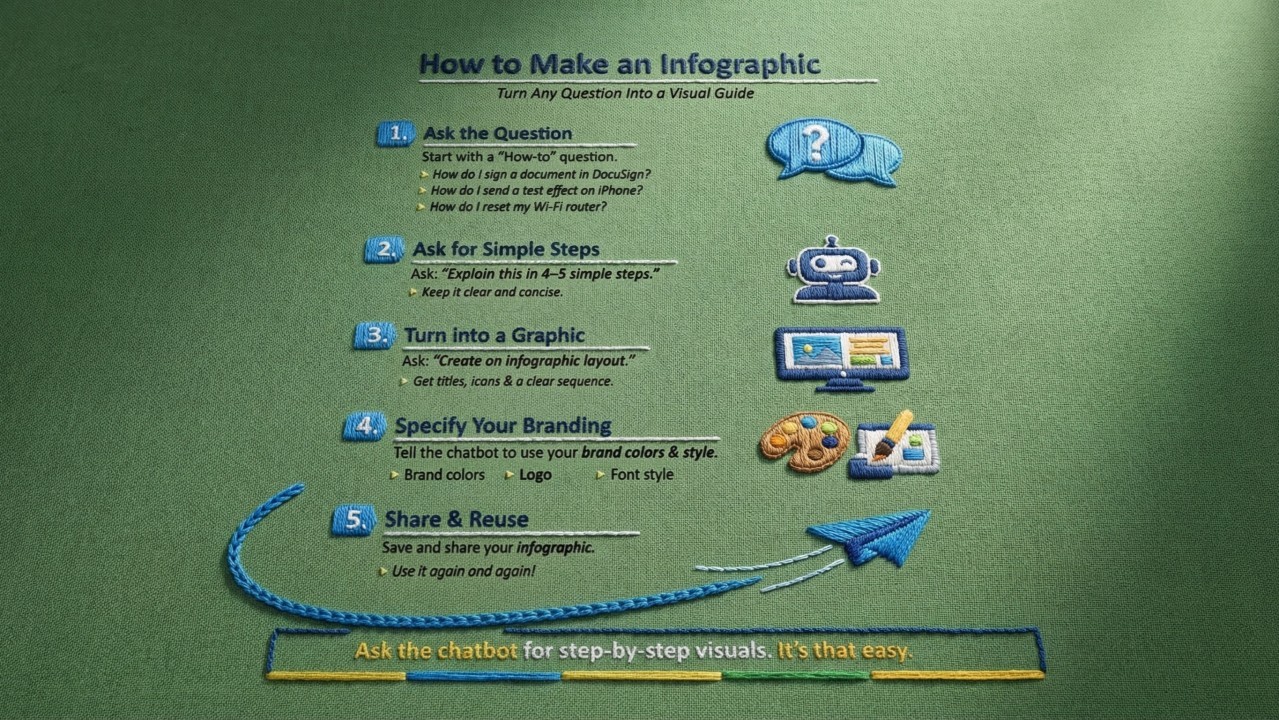
What is the question people ask all the time?
The best infographics answer questions that come up in conversation. The ones clients ask, coworkers ask, or even the ones your parents ask at dinner.
A chatbot can help you take those everyday questions and turn them into a clear visual explanation.
The 3-Step Method
You don’t even need to know the process yourself.
You simply ask the chatbot to structure it.
Step 1: Ask the Question
Start with the problem you want explained.
Examples:
“How do I send a text effect on iPhone?”
“How do I sign a document in DocuSign?”
“How do I reset my Wi-Fi router?”
“How do I change the background on Zoom?”
Step 2: Ask for Only 4–5 Steps
This forces the explanation to stay simple and visual.
Example prompt:
“Explain how to sign a document in DocuSign in only 5 simple steps.”
Now the chatbot organizes the information for you.
Step 3: Ask for an Infographic
Now convert the steps into something visual.
Example prompt:
“Generate this into a simple infographic layout.”
Or:
“Generate a visual infographic design.”
Now you have something you can:
Send to a client
Send to your parents
Post online
Save for later
Instead of explaining the same thing again.
Why This Matters
Clear instructions help people move faster.
They remove frustration.
They make knowledge easier to share.
A simple visual guide can help someone understand something in 10 seconds that might take five minutes to explain.
The Bigger Change
For decades, learning how to use computers meant reading manuals, watching tutorials, or asking someone who “knew tech.”
But now we’ve coded systems so well that the process has flipped.
If you have a question about how to do something on a computer… you can simply ask the computer how to solve it.
Not only will it explain the answer, it can organize the answer into clear step-by-step instructions.
And if you prefer visuals instead of reading?
You can ask it to turn those steps into an infographic.
Meaning the same computer you’re confused by… can now teach you how to use it.
All you have to do is ask.
Let’s chat again soon…
Gibz
My mission is to
Help you create and earn on your terms.
No spam, unsubscribe anytime.