Filter

Sparkle Prompt

After
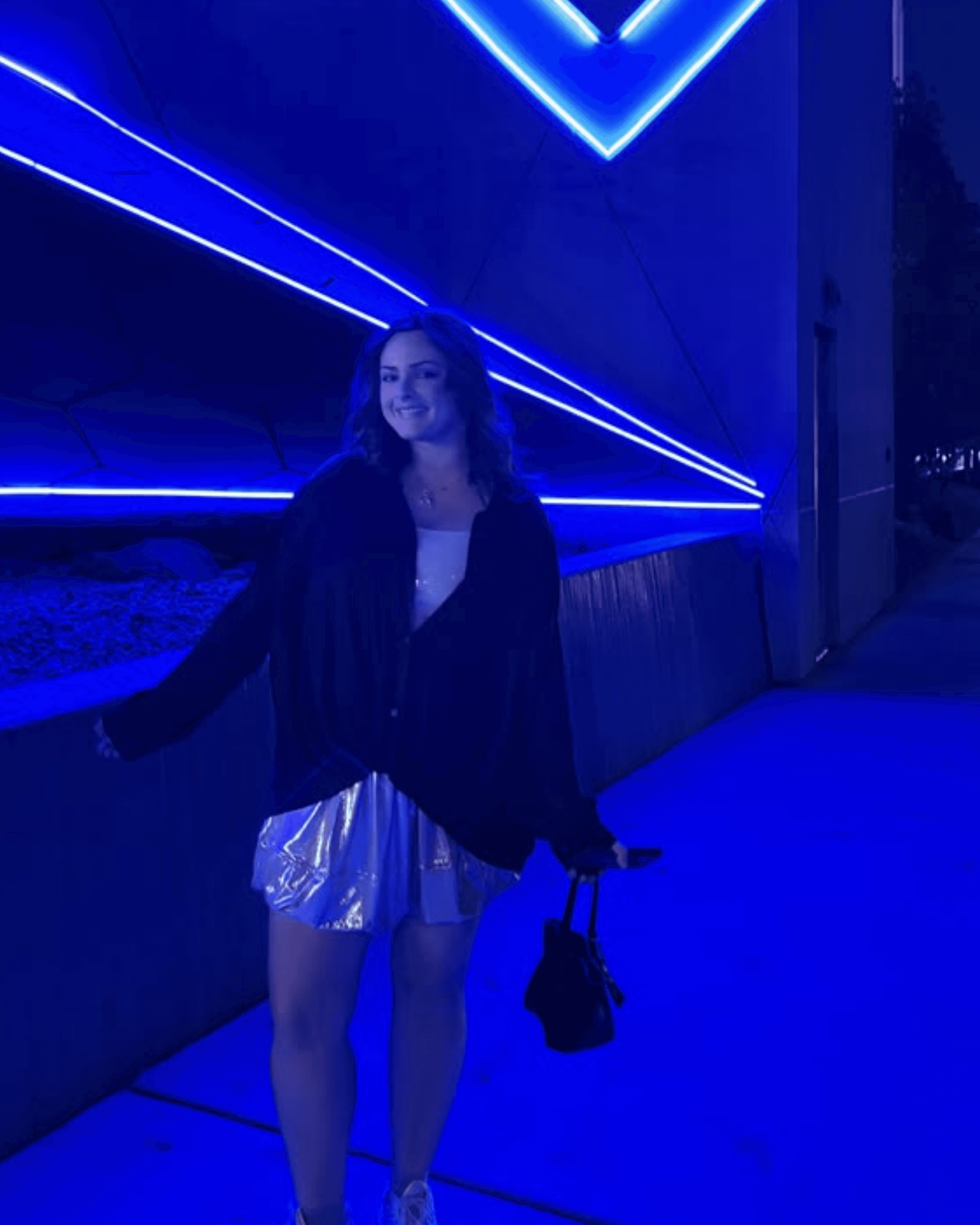
Before
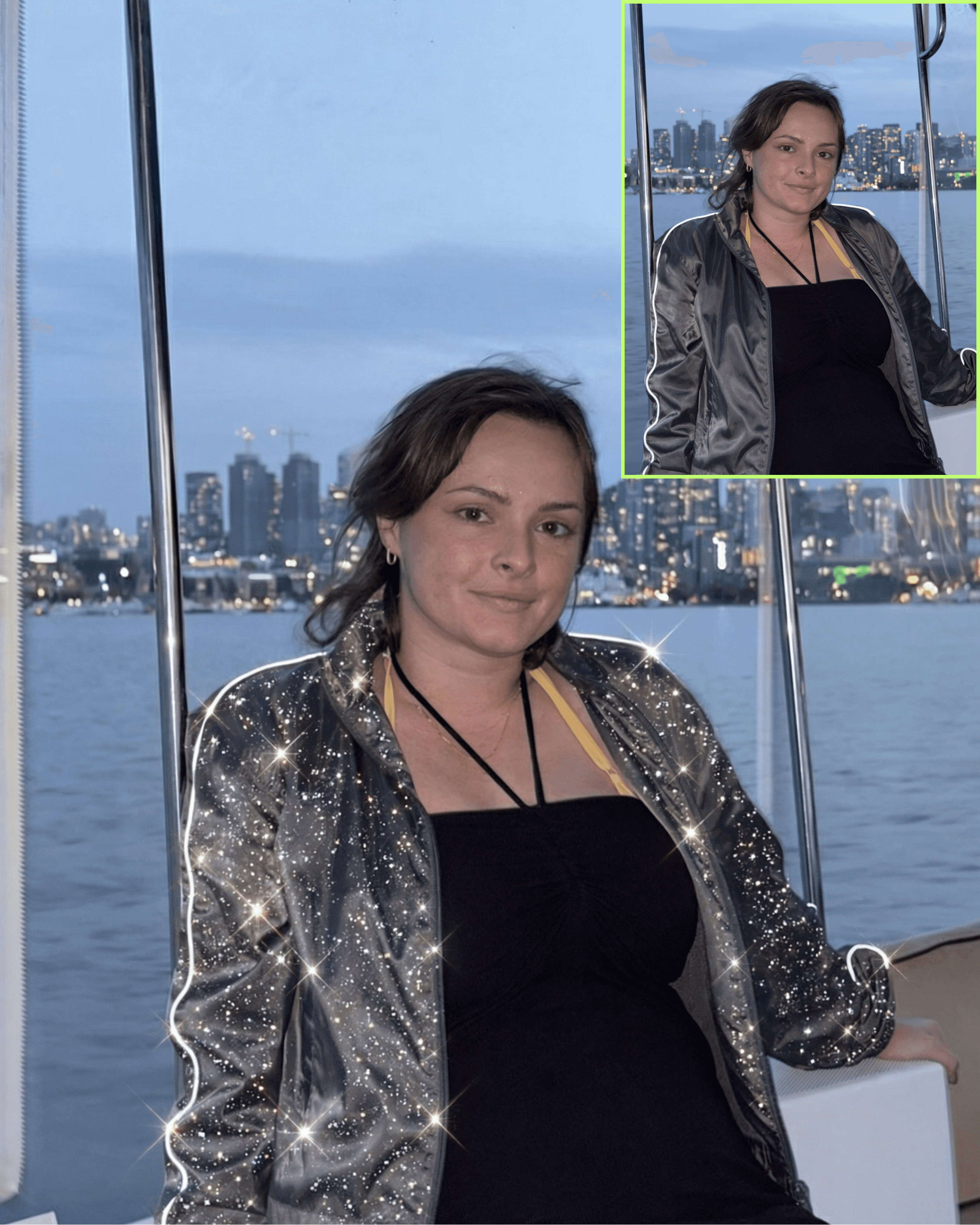
Sparkle Prompt

Treat the uploaded image as a locked reference photograph.

Do not change composition, subject, lighting, or environment.

✨ TRANSFORMATION GOAL
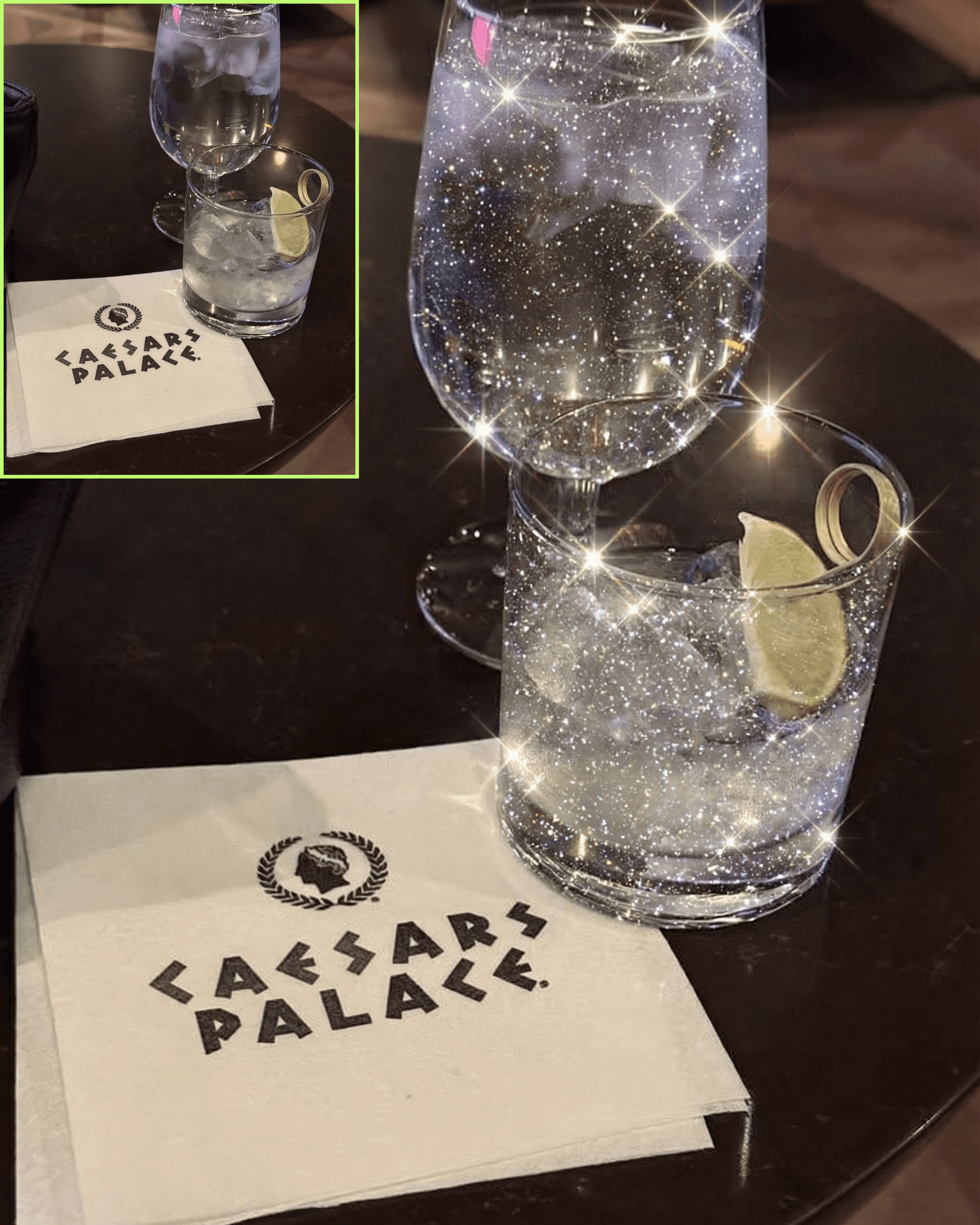
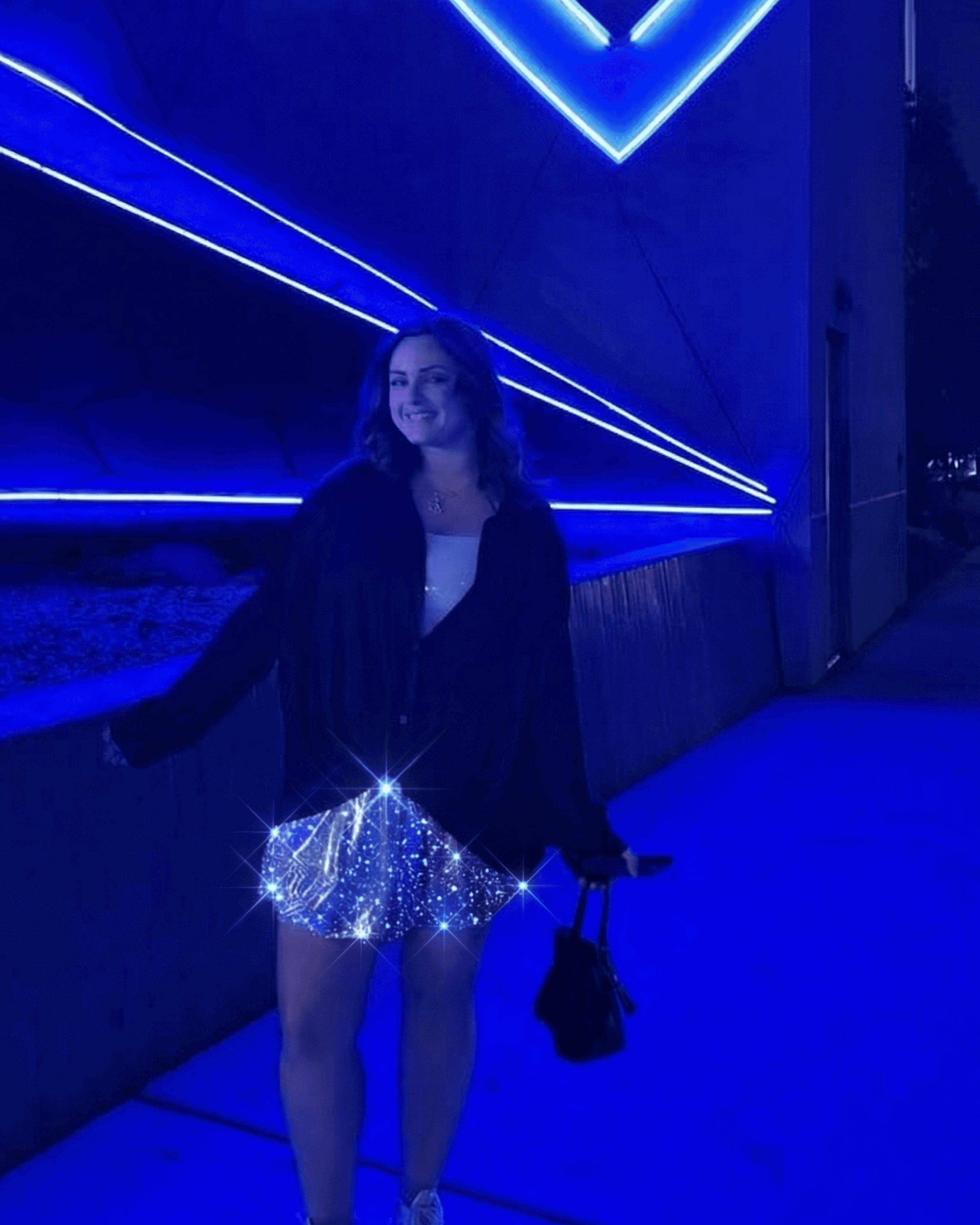
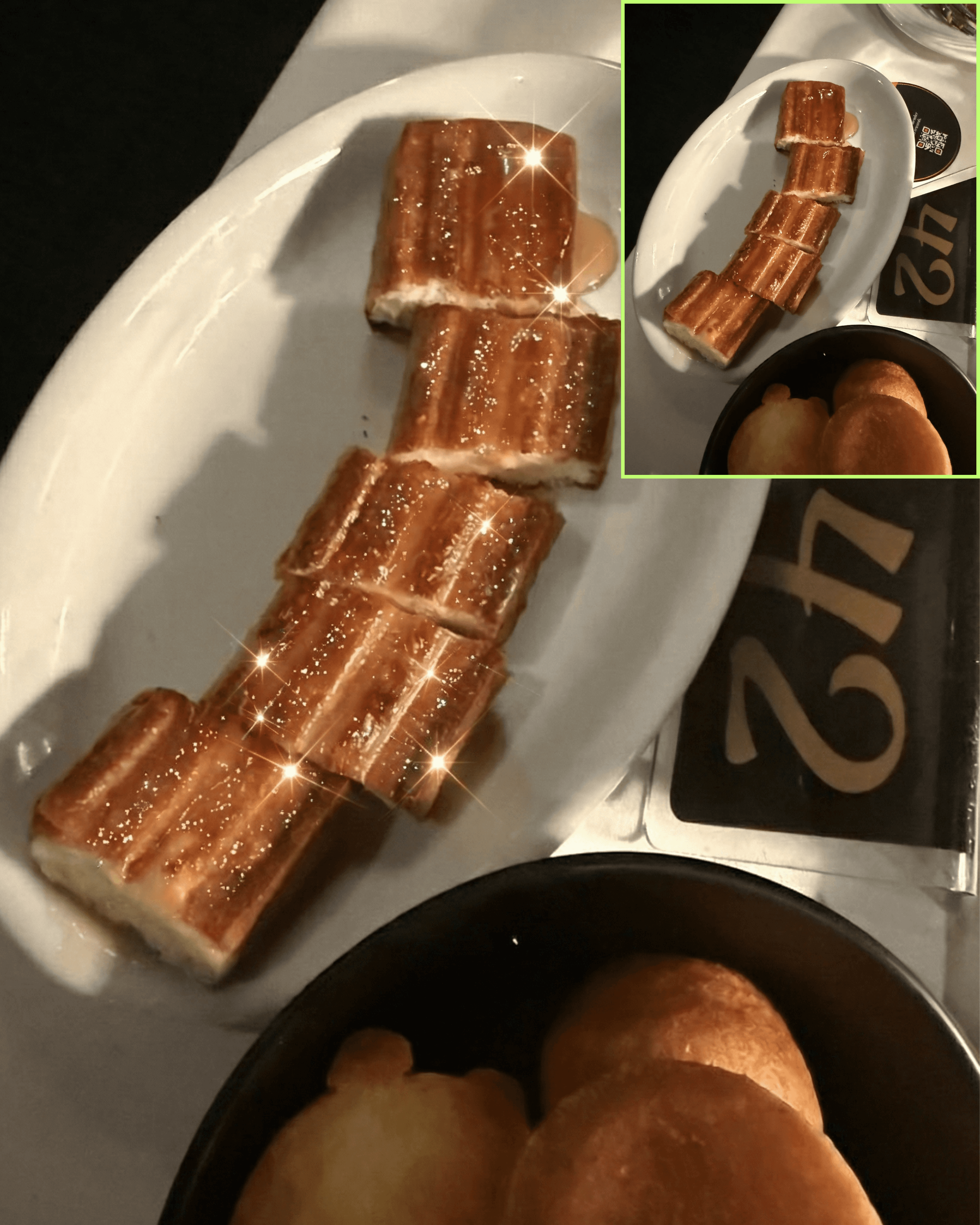
Enhance the image by adding ultra-realistic luxury sparkles that feel naturally embedded into the scene.

🧠 AUTO TARGETING (NO INPUT NEEDED)
Automatically detect the most light-reactive or reflective surface in the image.

This may include:

  • glass

  • liquid

  • sequins

  • glossy fabric

  • jewelry

  • highlights or bright areas

Apply the effect ONLY to this detected zone.

Do not apply sparkles across the entire image.

🎯 SPARKLE STYLE (CRITICAL)
Generate a refined, high-end sparkle effect:

• mix of micro-glitter particles + subtle starburst flares
• sparkles must feel embedded in the material — not floating on top
• variation in size (very small dominant, occasional star flares)
• clean, sharp light points — not blurry or cartoonish
• no rainbow artifacts or fake glow effects

🎥 LIGHT BEHAVIOR
Sparkles must follow the existing lighting of the image:

• align with highlights and reflections
• respect shadows and depth
• feel physically accurate to the surface

🌫️ INTEGRATION
Blend seamlessly into the image:

• no harsh edges
• no overlay look
• no artificial layering
• maintain realism and luxury tone

🚫 DO NOT
• do not place sparkles randomly
• do not cover the entire frame
• do not alter subject identity or texture
• do not create fantasy or magical effects

The final result should feel like the sparkle was captured in-camera, not added in post.

Copy Prompt

Copied!

Treat the uploaded image as a locked reference photograph.

Do not change composition, subject, lighting, or environment.

✨ TRANSFORMATION GOAL
Enhance the image by adding ultra-realistic luxury sparkles that feel naturally embedded into the scene.

🧠 AUTO TARGETING (NO INPUT NEEDED)
Automatically detect the most light-reactive or reflective surface in the image.

This may include:

  • glass

  • liquid

  • sequins

  • glossy fabric

  • jewelry

  • highlights or bright areas

Apply the effect ONLY to this detected zone.

Do not apply sparkles across the entire image.

🎯 SPARKLE STYLE (CRITICAL)
Generate a refined, high-end sparkle effect:

• mix of micro-glitter particles + subtle starburst flares
• sparkles must feel embedded in the material — not floating on top
• variation in size (very small dominant, occasional star flares)
• clean, sharp light points — not blurry or cartoonish
• no rainbow artifacts or fake glow effects

🎥 LIGHT BEHAVIOR
Sparkles must follow the existing lighting of the image:

• align with highlights and reflections
• respect shadows and depth
• feel physically accurate to the surface

🌫️ INTEGRATION
Blend seamlessly into the image:

• no harsh edges
• no overlay look
• no artificial layering
• maintain realism and luxury tone

🚫 DO NOT
• do not place sparkles randomly
• do not cover the entire frame
• do not alter subject identity or texture
• do not create fantasy or magical effects

The final result should feel like the sparkle was captured in-camera, not added in post.

Copy and Open in Higgsfield

Copied!

Treat the uploaded image as a locked reference photograph.

Do not change composition, subject, lighting, or environment.

✨ TRANSFORMATION GOAL
Enhance the image by adding ultra-realistic luxury sparkles that feel naturally embedded into the scene.

🧠 AUTO TARGETING (NO INPUT NEEDED)
Automatically detect the most light-reactive or reflective surface in the image.

This may include:

  • glass

  • liquid

  • sequins

  • glossy fabric

  • jewelry

  • highlights or bright areas

Apply the effect ONLY to this detected zone.

Do not apply sparkles across the entire image.

🎯 SPARKLE STYLE (CRITICAL)
Generate a refined, high-end sparkle effect:

• mix of micro-glitter particles + subtle starburst flares
• sparkles must feel embedded in the material — not floating on top
• variation in size (very small dominant, occasional star flares)
• clean, sharp light points — not blurry or cartoonish
• no rainbow artifacts or fake glow effects

🎥 LIGHT BEHAVIOR
Sparkles must follow the existing lighting of the image:

• align with highlights and reflections
• respect shadows and depth
• feel physically accurate to the surface

🌫️ INTEGRATION
Blend seamlessly into the image:

• no harsh edges
• no overlay look
• no artificial layering
• maintain realism and luxury tone

🚫 DO NOT
• do not place sparkles randomly
• do not cover the entire frame
• do not alter subject identity or texture
• do not create fantasy or magical effects

The final result should feel like the sparkle was captured in-camera, not added in post.

This prompt is designed to add a refined sparkle effect to your image without needing to select or mask anything manually. It detects where the light naturally hits and enhances it.

✨ What This Prompt Does

  • Finds the most reflective or light-reactive area in your photo

  • Applies a luxury sparkle effect directly into that surface

  • Keeps everything else untouched

The result feels like it was captured in-camera.

📍 Where It Works Best

This prompt performs strongest on images that already contain light interaction, such as:

  • Glass (drinks, windows, vases)

  • Liquids (cocktails, water, glossy surfaces)

  • Jewelry or metallic details

  • Sequins, satin, or glossy fabrics

  • Bright highlights or reflections

If your image has light, this prompt knows where to go.

🧠 How It Decides

You do not need to select an area.

The prompt will:

  • Scan the image

  • Identify the brightest or most reflective surface

  • Apply the sparkle effect only to that zone

No outlining. No masking. No guessing.

⚙️ How To Use

  1. Upload your image

  2. Paste the prompt

  3. Generate

That’s it.


This prompt is designed to add a refined sparkle effect to your image without needing to select or mask anything manually. It detects where the light naturally hits and enhances it.

✨ What This Prompt Does

  • Finds the most reflective or light-reactive area in your photo

  • Applies a luxury sparkle effect directly into that surface

  • Keeps everything else untouched

The result feels like it was captured in-camera.

📍 Where It Works Best

This prompt performs strongest on images that already contain light interaction, such as:

  • Glass (drinks, windows, vases)

  • Liquids (cocktails, water, glossy surfaces)

  • Jewelry or metallic details

  • Sequins, satin, or glossy fabrics

  • Bright highlights or reflections

If your image has light, this prompt knows where to go.

🧠 How It Decides

You do not need to select an area.

The prompt will:

  • Scan the image

  • Identify the brightest or most reflective surface

  • Apply the sparkle effect only to that zone

No outlining. No masking. No guessing.

⚙️ How To Use

  1. Upload your image

  2. Paste the prompt

  3. Generate

That’s it.


My mission is to

Help you create and earn on your terms.

No spam, unsubscribe anytime.