Prop Inserts

Soundtrack Display Prompt
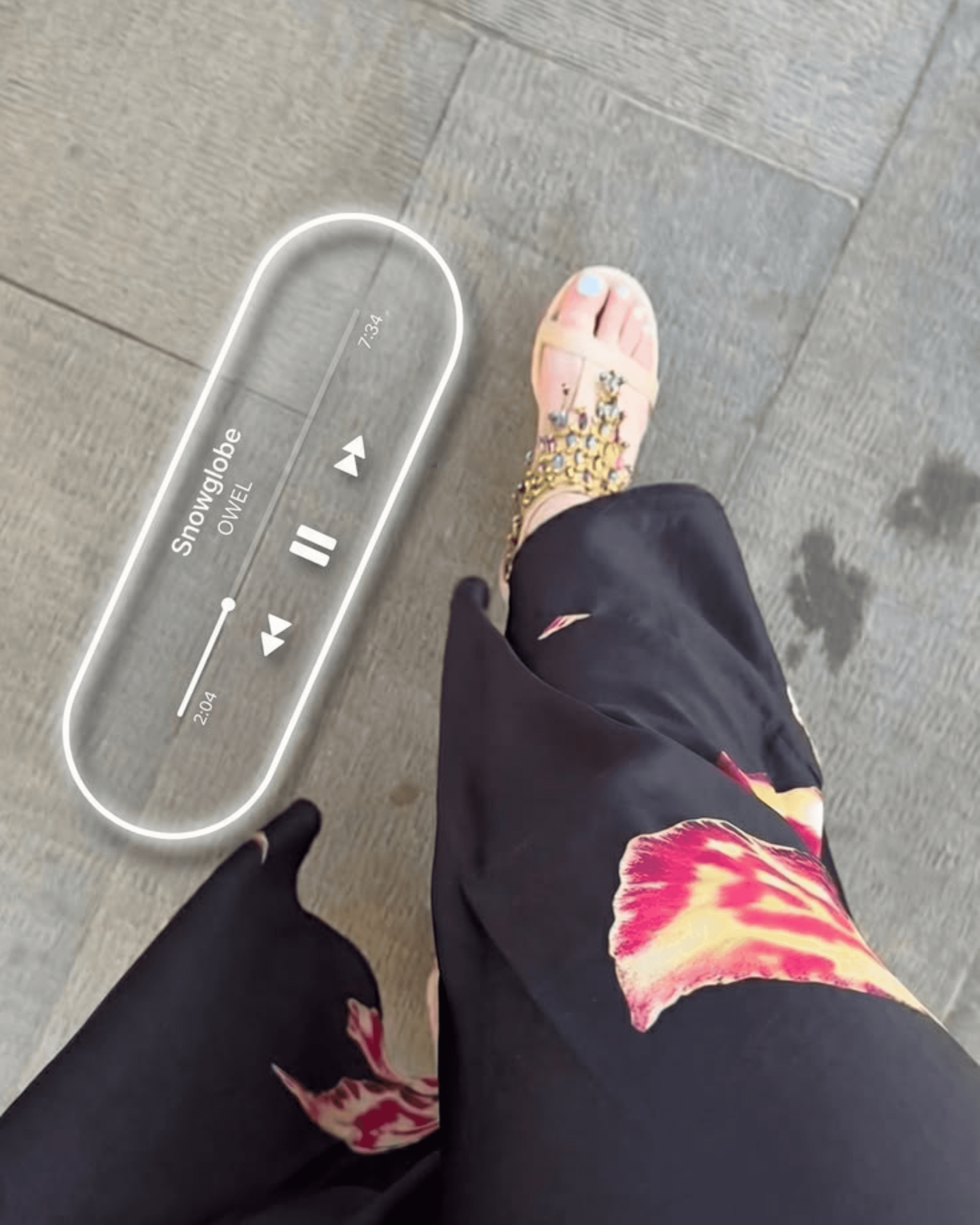
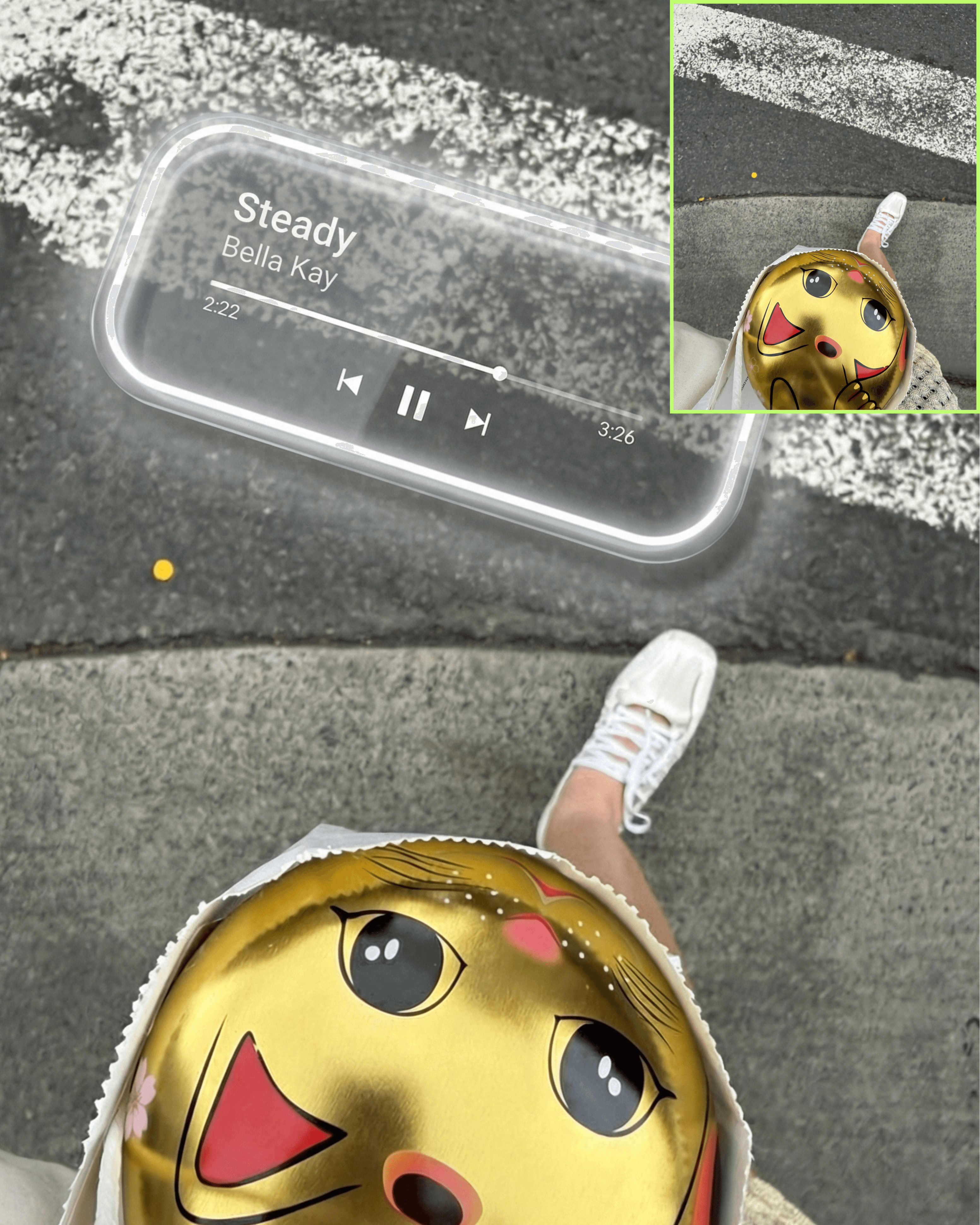
After
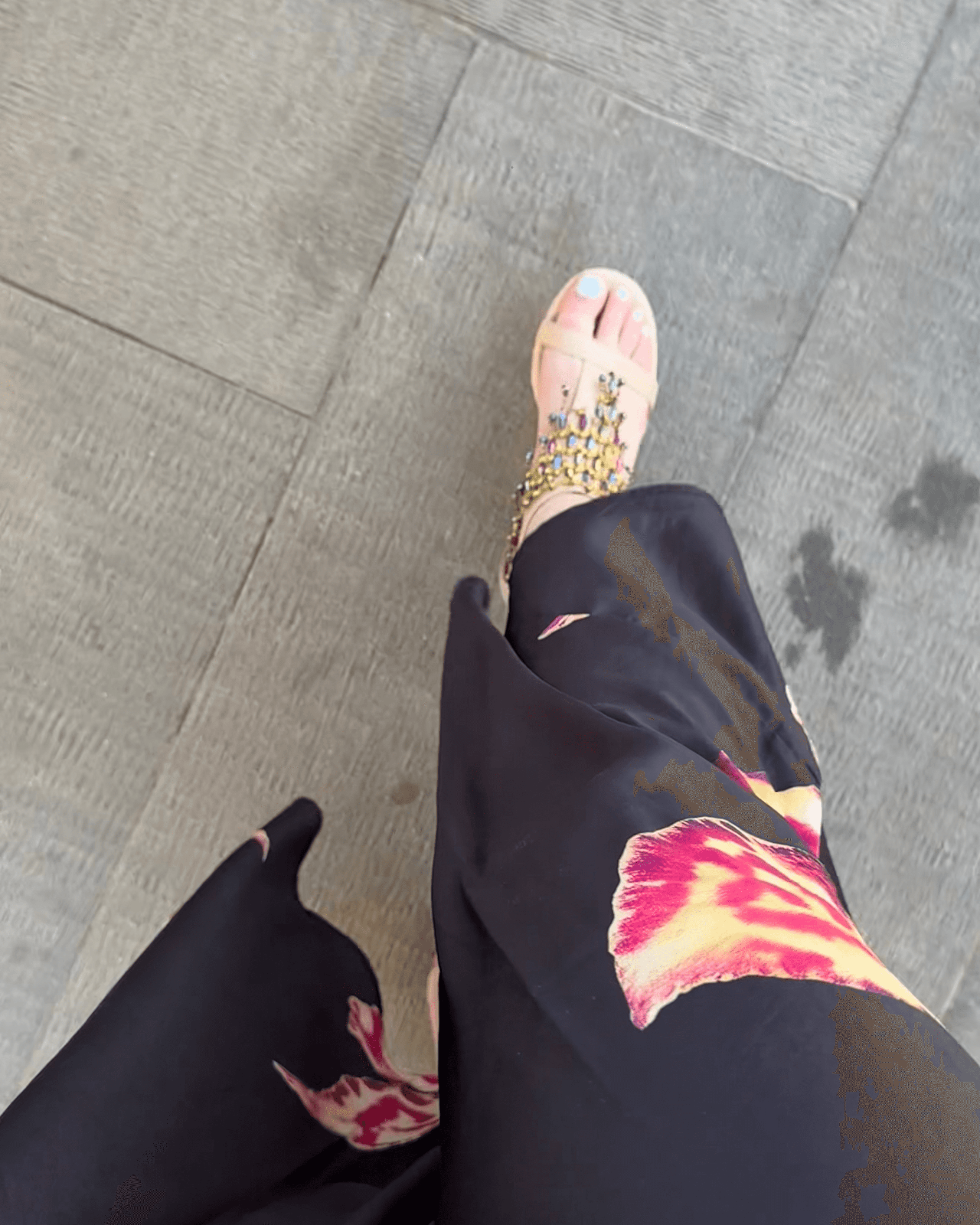
Before
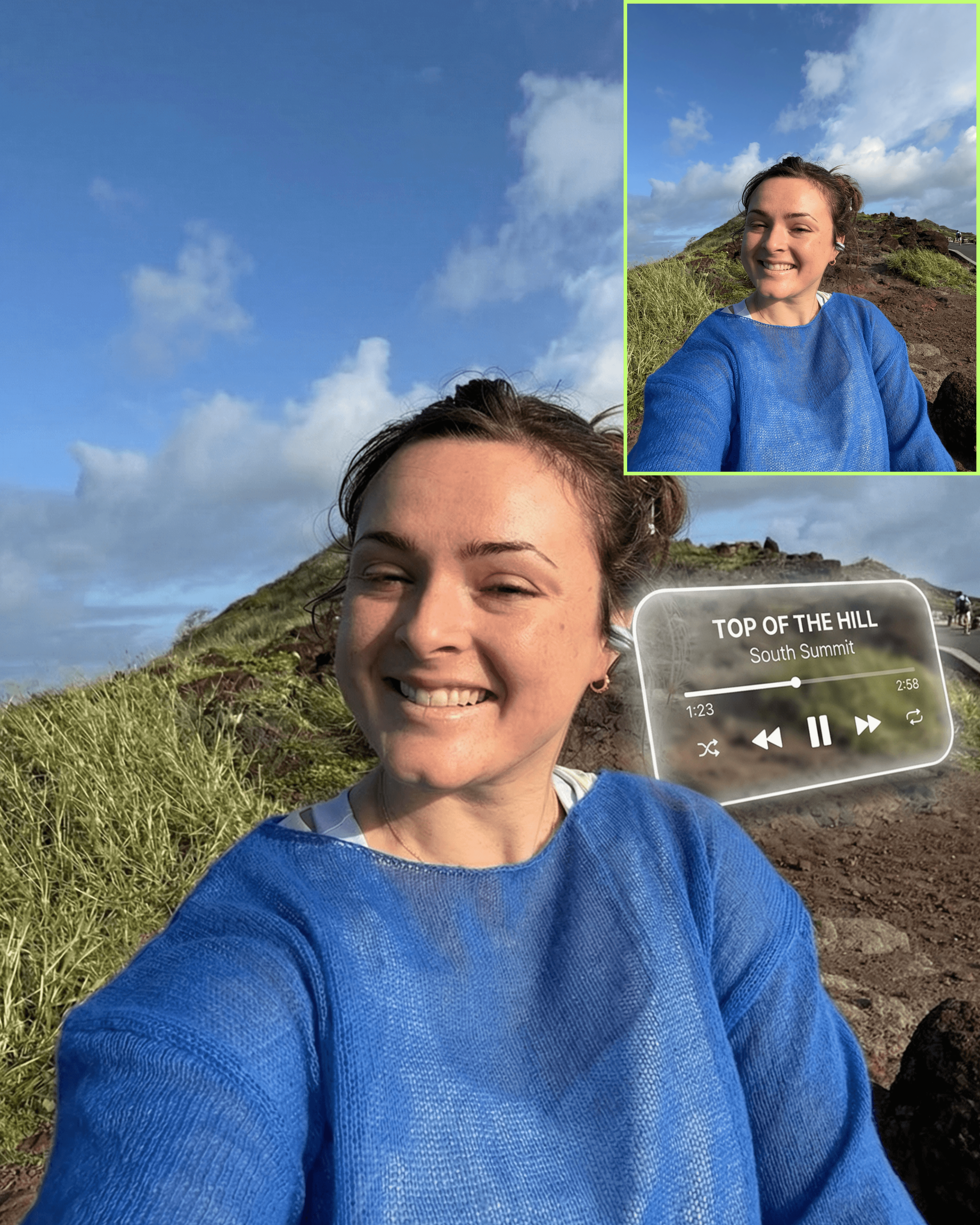
Soundtrack Display Prompt

Treat the uploaded image as a locked reference photograph.

Do not change the subject, outfit, face, body, or original environment.

🎯 GOAL

Integrate a minimal iPhone lock screen-style music player into the scene as a semi-transparent glass marquee object with subtle neon-style rim lighting.

The object should feel physically present in the environment — like a refined illuminated glass display — not a pasted overlay.

🎵 SONG INPUT (EDIT THIS ONLY)

Song Title: [INSERT SONG NAME]
Artist Name: [INSERT ARTIST]
Timestamp: [OPTIONAL]
Total Duration: [OPTIONAL]

🎨 MATERIAL — GLASS + NEON RIM

Render the player as a refined glass object:

• semi-transparent glass surface
• background softly visible through the object with slight realistic refraction
• smooth polished finish
• thin soft white neon-style rim lighting along the outer edges only
• glow should feel embedded into the edge, elegant and controlled

🧠 OBJECT LOGIC

• long horizontal rounded rectangle
• behaves like a physical marquee-style glass display
• can rest on or integrate into a surface within the environment
• should feel like part of the scene, not added afterward

🧠 COMPOSITION + PLACEMENT

• place the marquee where it fits organically within the image
• use negative space, perspective lines, and scene structure to determine placement
• NEVER cover or overlap the subject
• maintain full separation from body, face, limbs, and clothing
• keep placement intentional and editorial, never random

📐 PERSPECTIVE WARP (NON-NEGOTIABLE)

• ALWAYS apply perspective warp so the marquee matches the camera angle and the spatial plane of its placement
• the object must never appear flat or front-facing unless the scene naturally supports that angle
• warp the marquee to follow the natural receding lines, tilt, and depth of the composition
• scale and distort the object realistically based on distance and camera viewpoint

🌫️ LIFT + DEPTH EFFECT

• maintain a slight lifted effect so the marquee feels dimensional
• add a soft diffused shadow beneath or behind it depending on placement
• allow a subtle glow falloff from the rim lighting onto nearby surfaces

📱 UI STRUCTURE — LOCK SCREEN MINIMAL

NO album artwork.

Include ONLY:

• song title
• artist name
• progress bar + timestamp
• playback controls

Typography should remain thin, clean, and Apple-inspired.

💡 REALISM + INTEGRATION

• match the lighting direction of the scene
• allow slight environmental tone influence on the glass
• keep edges crisp but naturally blended into the environment
• ensure the object feels captured in-camera

🚫 DO NOT

• do not place the marquee flat without perspective warp
• do not center it by default
• do not use heavy neon or colorful glow
• do not make it look like a sticker, hologram, or pasted UI
• do not alter the subject in any way

✨ FINAL RESULT

A minimal music player rendered as a semi-transparent glass marquee with soft white neon rim lighting, realistic perspective warp, and a slight lifted effect — seamlessly integrated into the scene like a physical illuminated object captured by the camera.

Copy Prompt

Copied!

Treat the uploaded image as a locked reference photograph.

Do not change the subject, outfit, face, body, or original environment.

🎯 GOAL

Integrate a minimal iPhone lock screen-style music player into the scene as a semi-transparent glass marquee object with subtle neon-style rim lighting.

The object should feel physically present in the environment — like a refined illuminated glass display — not a pasted overlay.

🎵 SONG INPUT (EDIT THIS ONLY)

Song Title: [INSERT SONG NAME]
Artist Name: [INSERT ARTIST]
Timestamp: [OPTIONAL]
Total Duration: [OPTIONAL]

🎨 MATERIAL — GLASS + NEON RIM

Render the player as a refined glass object:

• semi-transparent glass surface
• background softly visible through the object with slight realistic refraction
• smooth polished finish
• thin soft white neon-style rim lighting along the outer edges only
• glow should feel embedded into the edge, elegant and controlled

🧠 OBJECT LOGIC

• long horizontal rounded rectangle
• behaves like a physical marquee-style glass display
• can rest on or integrate into a surface within the environment
• should feel like part of the scene, not added afterward

🧠 COMPOSITION + PLACEMENT

• place the marquee where it fits organically within the image
• use negative space, perspective lines, and scene structure to determine placement
• NEVER cover or overlap the subject
• maintain full separation from body, face, limbs, and clothing
• keep placement intentional and editorial, never random

📐 PERSPECTIVE WARP (NON-NEGOTIABLE)

• ALWAYS apply perspective warp so the marquee matches the camera angle and the spatial plane of its placement
• the object must never appear flat or front-facing unless the scene naturally supports that angle
• warp the marquee to follow the natural receding lines, tilt, and depth of the composition
• scale and distort the object realistically based on distance and camera viewpoint

🌫️ LIFT + DEPTH EFFECT

• maintain a slight lifted effect so the marquee feels dimensional
• add a soft diffused shadow beneath or behind it depending on placement
• allow a subtle glow falloff from the rim lighting onto nearby surfaces

📱 UI STRUCTURE — LOCK SCREEN MINIMAL

NO album artwork.

Include ONLY:

• song title
• artist name
• progress bar + timestamp
• playback controls

Typography should remain thin, clean, and Apple-inspired.

💡 REALISM + INTEGRATION

• match the lighting direction of the scene
• allow slight environmental tone influence on the glass
• keep edges crisp but naturally blended into the environment
• ensure the object feels captured in-camera

🚫 DO NOT

• do not place the marquee flat without perspective warp
• do not center it by default
• do not use heavy neon or colorful glow
• do not make it look like a sticker, hologram, or pasted UI
• do not alter the subject in any way

✨ FINAL RESULT

A minimal music player rendered as a semi-transparent glass marquee with soft white neon rim lighting, realistic perspective warp, and a slight lifted effect — seamlessly integrated into the scene like a physical illuminated object captured by the camera.

Copy and Open in Higgsfield

Copied!

Treat the uploaded image as a locked reference photograph.

Do not change the subject, outfit, face, body, or original environment.

🎯 GOAL

Integrate a minimal iPhone lock screen-style music player into the scene as a semi-transparent glass marquee object with subtle neon-style rim lighting.

The object should feel physically present in the environment — like a refined illuminated glass display — not a pasted overlay.

🎵 SONG INPUT (EDIT THIS ONLY)

Song Title: [INSERT SONG NAME]
Artist Name: [INSERT ARTIST]
Timestamp: [OPTIONAL]
Total Duration: [OPTIONAL]

🎨 MATERIAL — GLASS + NEON RIM

Render the player as a refined glass object:

• semi-transparent glass surface
• background softly visible through the object with slight realistic refraction
• smooth polished finish
• thin soft white neon-style rim lighting along the outer edges only
• glow should feel embedded into the edge, elegant and controlled

🧠 OBJECT LOGIC

• long horizontal rounded rectangle
• behaves like a physical marquee-style glass display
• can rest on or integrate into a surface within the environment
• should feel like part of the scene, not added afterward

🧠 COMPOSITION + PLACEMENT

• place the marquee where it fits organically within the image
• use negative space, perspective lines, and scene structure to determine placement
• NEVER cover or overlap the subject
• maintain full separation from body, face, limbs, and clothing
• keep placement intentional and editorial, never random

📐 PERSPECTIVE WARP (NON-NEGOTIABLE)

• ALWAYS apply perspective warp so the marquee matches the camera angle and the spatial plane of its placement
• the object must never appear flat or front-facing unless the scene naturally supports that angle
• warp the marquee to follow the natural receding lines, tilt, and depth of the composition
• scale and distort the object realistically based on distance and camera viewpoint

🌫️ LIFT + DEPTH EFFECT

• maintain a slight lifted effect so the marquee feels dimensional
• add a soft diffused shadow beneath or behind it depending on placement
• allow a subtle glow falloff from the rim lighting onto nearby surfaces

📱 UI STRUCTURE — LOCK SCREEN MINIMAL

NO album artwork.

Include ONLY:

• song title
• artist name
• progress bar + timestamp
• playback controls

Typography should remain thin, clean, and Apple-inspired.

💡 REALISM + INTEGRATION

• match the lighting direction of the scene
• allow slight environmental tone influence on the glass
• keep edges crisp but naturally blended into the environment
• ensure the object feels captured in-camera

🚫 DO NOT

• do not place the marquee flat without perspective warp
• do not center it by default
• do not use heavy neon or colorful glow
• do not make it look like a sticker, hologram, or pasted UI
• do not alter the subject in any way

✨ FINAL RESULT

A minimal music player rendered as a semi-transparent glass marquee with soft white neon rim lighting, realistic perspective warp, and a slight lifted effect — seamlessly integrated into the scene like a physical illuminated object captured by the camera.

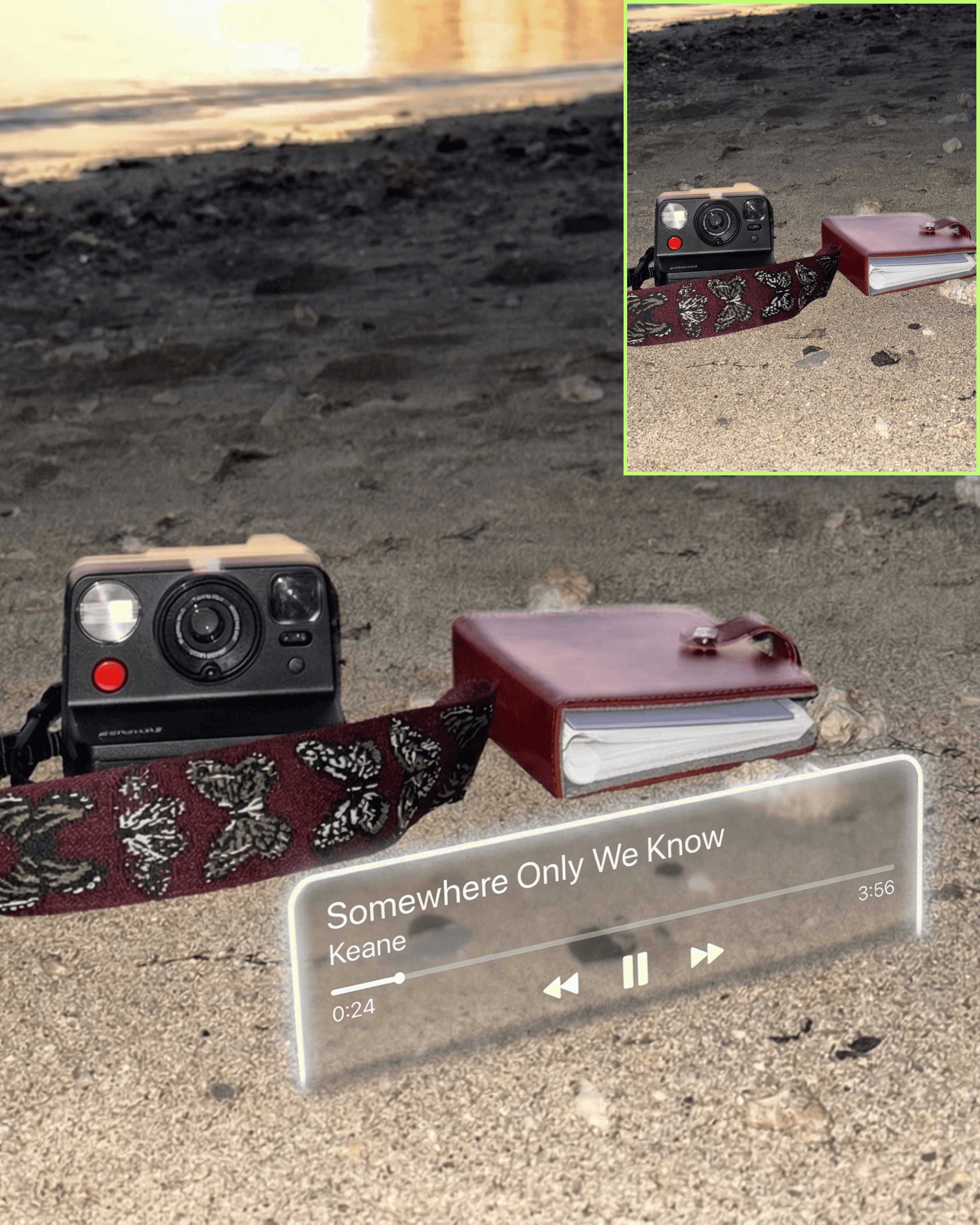
This prompt places a minimal glass music player directly into your scene designed to feel like it was captured in real life, not added after. The player appears as a semi-transparent glass marquee with soft rim lighting, shaped by the perspective of your photo and placed with intention.

This effect hits differently when the photo already has a feeling:

  • concerts

  • festivals

  • night outings

  • travel days

  • “this song was playing” moments

It lets you show what the moment felt like, not just what it looked like.

WHAT YOU NEED TO CUSTOMIZE

Only edit this section in the prompt:

  • Song Title

  • Artist Name

  • (Optional) Timestamp + Duration

That’s it. Everything else is handled for you.

HOW IT WORKS

The prompt automatically:

  • Finds where the player belongs in your photo

  • Applies real perspective warp so it matches your camera angle

  • Renders it as a glass object with depth and lift

  • Places it in a way that feels editorial, not obvious

  • Keeps your subject completely untouched

The result feels like the music was already there when the photo was taken.

BEST USE CASES

Use this when:

  • you’re at a concert and want to show the song playing

  • you’re at a festival and want to capture the vibe

  • you’re walking through a moment with headphones on

  • you want your outfit/content to feel more cinematic

  • you’re telling a story through music + visuals

  • Walking / movement shots

  • Street or outdoor environments

  • Mirror selfies

  • Editorial / outfit photos

  • Minimal scenes with clean space

A clean, minimal music player that feels like a physical glass object inside your photo. Softly lit, perspective-aware, and designed like part of the scene itself.


My mission is to

Help you create and earn on your terms.

No spam, unsubscribe anytime.