Nano Banana


Be the first to know about every new letter.
No spam, unsubscribe anytime.
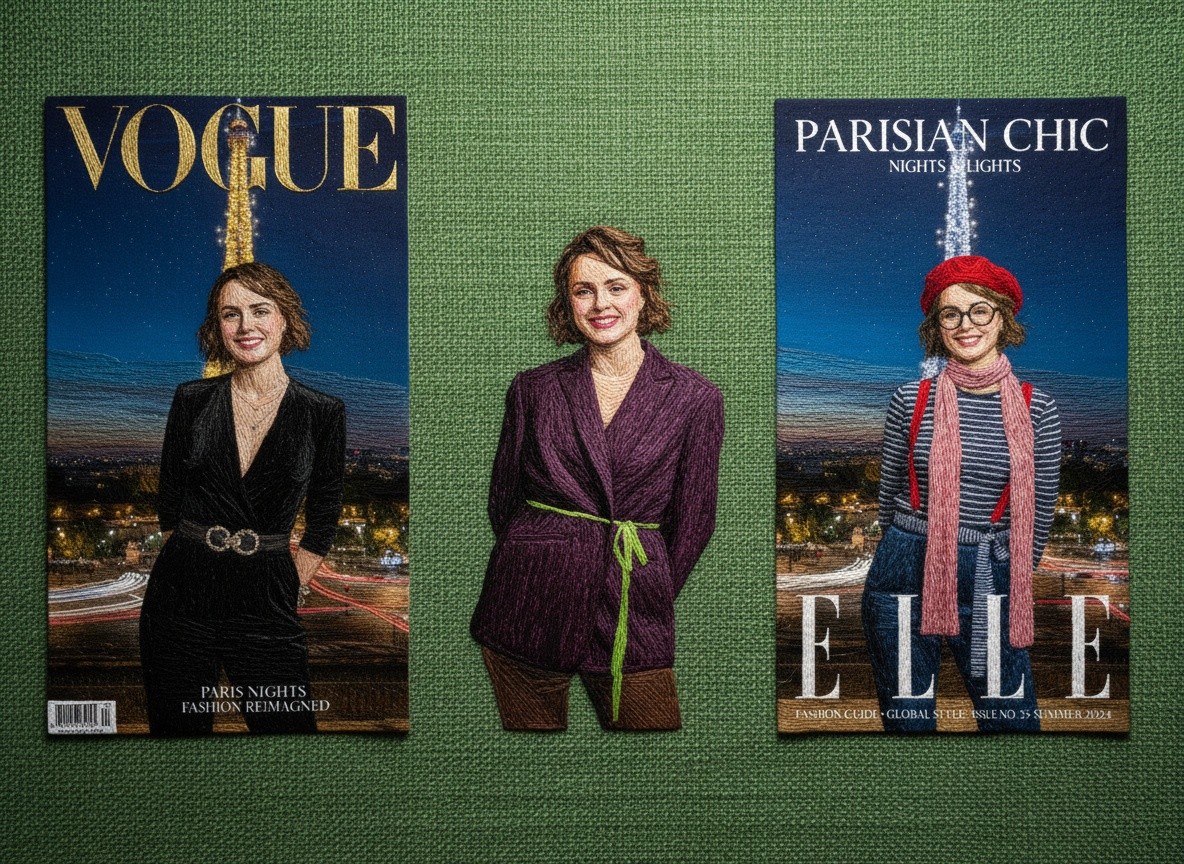
Nano Banana is Google’s new AI image editor. It listens to plain language, not Photoshop layers. You say what you want, it makes it real.
“Place me at a conference table with city lights in the background.”
“Make this office photo look like golden-hour lighting.”
“Swap my jacket for a sharp navy blazer—keep my face the same.”
The result? Professional-looking posts that take minutes, not hours.
Why You Should Care
Every post you skip is a missed chance for your brand to be seen. But every post you force feels flat, rushed, and ignored.
Nano Banana fixes that by:
Making consistent visuals from one good headshot.
Creating fast brand mockups before events even happen.
Giving you control over pace—so you can stay visible without feeling exposed.
How Nano Banana Is Being Used
1. For Business
We’ve seen professionals use Nano Banana to accelerate branding and marketing workflows:
Real estate agents turning one headshot into a month of consistent, polished posts.
Retailers prototyping product shots before inventory arrives.
Consultants staging event mockups to promote before the event itself.
The biggest win? Speed. What took hours of design work now takes minutes of prompts.
2. For Creativity
Artists and creators have leaned into Nano Banana for visual storytelling:
Writers illustrating scenes from their novels.
Musicians creating surreal album cover concepts in one sitting.
Designers fusing multiple inspirations into single visuals (e.g. “a kimono patterned with star charts”).
Here, the win isn’t speed—it’s exploration. It lets imagination run ahead of technical skill.
3. For the Unexpected
One of the most surprising uses we’ve seen:
Families colorizing and restoring old photographs in seconds.
Communities using it to rebuild lost spaces—a childhood home, a vanished landmark.
Educators teaching history by dropping students into reconstructed moments.
It wasn’t built for nostalgia, but Nano Banana has become a tool of memory.
5 Dangerous Examples
While we celebrate innovation, we also acknowledge the risks. Nano Banana’s realism makes it powerful—and power needs boundaries. Here are five concerning patterns we’ve tracked:
Deepfake Reputation Damage
People altering public figures’ images to imply scandals or statements that never happened.False Documentation
AI-created “evidence” used in business disputes or online arguments, presented as genuine.Harassment Through Manipulation
Taking personal photos (often from social media) and placing people in compromising or humiliating settings.Misleading Marketing
Businesses showcasing luxury environments, products, or events that don’t exist—eroding consumer trust.Undetectable Propaganda
Subtle edits to historical or political imagery, blending AI into the cultural record in ways invisible to the casual eye.
How to Batch 30 Days of Content in One Sitting (with Nano Banana)
Step 1: Choose Your Anchor Image
Pick one good headshot or brand photo of yourself, your product, or your office.
Clean background, decent lighting, high-resolution.
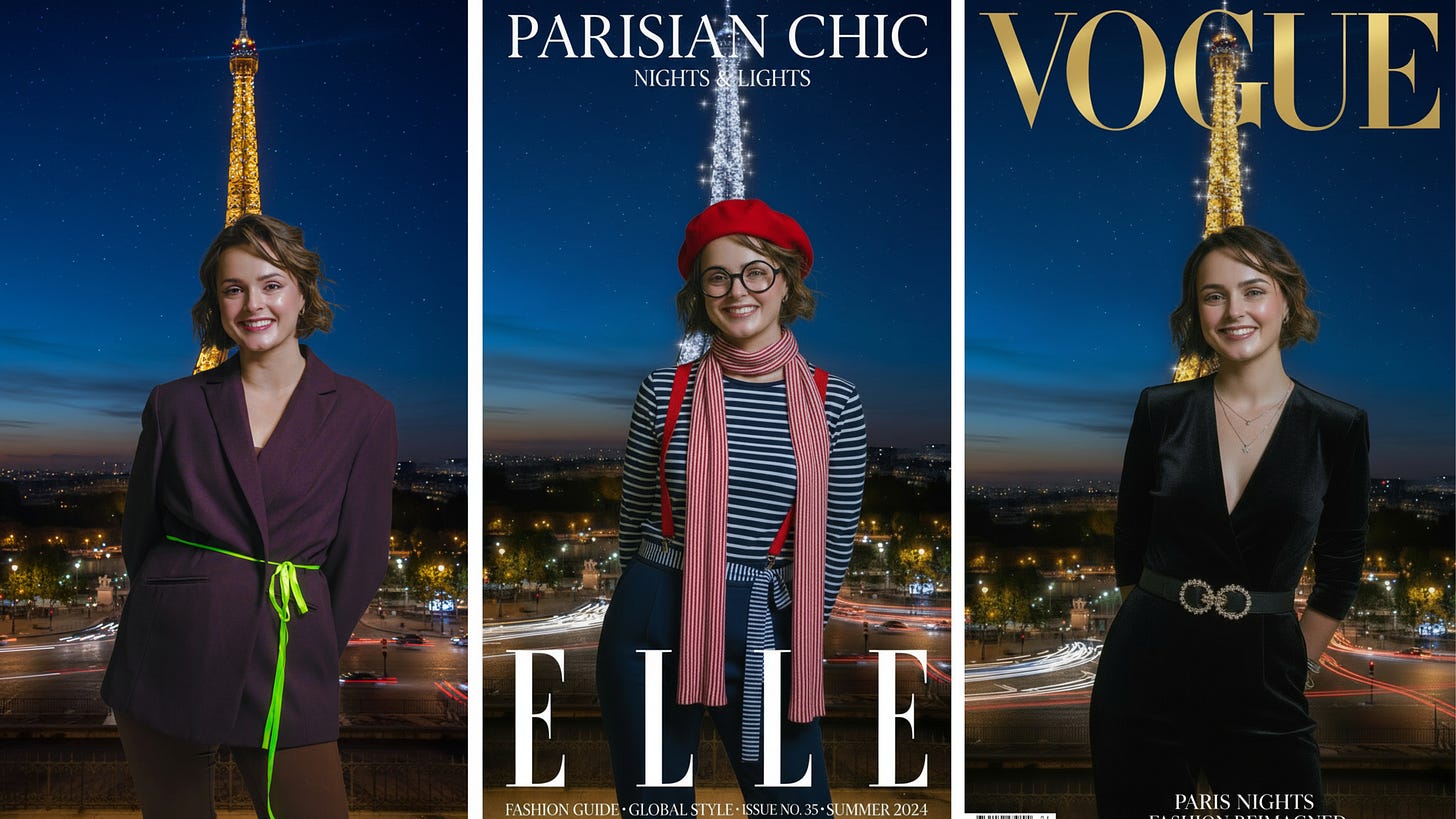
This will be your “base canvas.” Nano Banana thrives when you keep identity consistent.
Step 2: Map Out 5 Core Content Categories
Instead of trying to reinvent the wheel, repeat themes with fresh visuals. Examples:
Authority Posts → you as the expert (e.g. at desk, presenting, speaking).
Lifestyle Posts → human side of your brand (coffee shop, outdoors, hobbies).
Behind the Scenes → show your work process (meetings, brainstorming, laptop shots).
Value/Tip Posts → give advice, paired with a simple branded background.
Community/Client Stories → celebratory moments, mockups of success stories.
Step 3: Apply Prompt Formulas
Use Nano Banana like a brand stylist. For each category, run 6 variations = 30 days total.
Here are spoon-fed formulas:
Scene Swap:
“Place me at [location] with [mood/lighting].”
→ Example: “Place me at a rooftop café with warm golden sunset lighting.”Outfit Update:
“Change my [clothing item] to [style/professional look], keeping face the same.”
→ Example: “Change my jacket into a sleek black blazer, same background.”Mood Shift:
“Make this image look like [time of day] with [tone].”
→ Example: “Make this image look like early morning with soft sunlight.”Object Additions:
“Add [object] to [location in the image], styled as [descriptor].”
→ Example: “Add a laptop and notepad on the desk in front of me.”Style Transfer:
“Transform this into [aesthetic/medium] while keeping me recognizable.”
→ Example: “Transform this into a minimalist magazine cover style.”
Step 4: Organize Outputs into a Calendar
Drop all 30 images into a simple Google Drive folder or Trello board.
Assign each category to a day of the week (e.g. Mondays = Authority, Tuesdays = Lifestyle).
Pair with short captions (keep it human, not over-polished).
Step 5: Refine & Batch Schedule
Use Canva/your social media scheduler to add text overlays, your logo, or headlines.
Load all 30 into your scheduler in one sitting.
Done: a whole month of content created in 1–2 hours instead of 30.
🪄 The Bonus Layer (Zoom Teaser)
Here’s the real trick I don’t give away in emails:
👉 How to turn those 30 still images into motion clips, reels, and carousels with the same base content.
That’s where the true leverage is. I’ll be showing exactly how in my Zoom session.
Let’s chat again soon…
Nano Banana is Google’s new AI image editor. It listens to plain language, not Photoshop layers. You say what you want, it makes it real.
“Place me at a conference table with city lights in the background.”
“Make this office photo look like golden-hour lighting.”
“Swap my jacket for a sharp navy blazer—keep my face the same.”
The result? Professional-looking posts that take minutes, not hours.
Why You Should Care
Every post you skip is a missed chance for your brand to be seen. But every post you force feels flat, rushed, and ignored.
Nano Banana fixes that by:
Making consistent visuals from one good headshot.
Creating fast brand mockups before events even happen.
Giving you control over pace—so you can stay visible without feeling exposed.
How Nano Banana Is Being Used
1. For Business
We’ve seen professionals use Nano Banana to accelerate branding and marketing workflows:
Real estate agents turning one headshot into a month of consistent, polished posts.
Retailers prototyping product shots before inventory arrives.
Consultants staging event mockups to promote before the event itself.
The biggest win? Speed. What took hours of design work now takes minutes of prompts.
2. For Creativity
Artists and creators have leaned into Nano Banana for visual storytelling:
Writers illustrating scenes from their novels.
Musicians creating surreal album cover concepts in one sitting.
Designers fusing multiple inspirations into single visuals (e.g. “a kimono patterned with star charts”).
Here, the win isn’t speed—it’s exploration. It lets imagination run ahead of technical skill.
3. For the Unexpected
One of the most surprising uses we’ve seen:
Families colorizing and restoring old photographs in seconds.
Communities using it to rebuild lost spaces—a childhood home, a vanished landmark.
Educators teaching history by dropping students into reconstructed moments.
It wasn’t built for nostalgia, but Nano Banana has become a tool of memory.
5 Dangerous Examples
While we celebrate innovation, we also acknowledge the risks. Nano Banana’s realism makes it powerful—and power needs boundaries. Here are five concerning patterns we’ve tracked:
Deepfake Reputation Damage
People altering public figures’ images to imply scandals or statements that never happened.False Documentation
AI-created “evidence” used in business disputes or online arguments, presented as genuine.Harassment Through Manipulation
Taking personal photos (often from social media) and placing people in compromising or humiliating settings.Misleading Marketing
Businesses showcasing luxury environments, products, or events that don’t exist—eroding consumer trust.Undetectable Propaganda
Subtle edits to historical or political imagery, blending AI into the cultural record in ways invisible to the casual eye.
How to Batch 30 Days of Content in One Sitting (with Nano Banana)

Step 1: Choose Your Anchor Image
Pick one good headshot or brand photo of yourself, your product, or your office.
Clean background, decent lighting, high-resolution.
This will be your “base canvas.” Nano Banana thrives when you keep identity consistent.
Step 2: Map Out 5 Core Content Categories
Instead of trying to reinvent the wheel, repeat themes with fresh visuals. Examples:
Authority Posts → you as the expert (e.g. at desk, presenting, speaking).
Lifestyle Posts → human side of your brand (coffee shop, outdoors, hobbies).
Behind the Scenes → show your work process (meetings, brainstorming, laptop shots).
Value/Tip Posts → give advice, paired with a simple branded background.
Community/Client Stories → celebratory moments, mockups of success stories.
Step 3: Apply Prompt Formulas
Use Nano Banana like a brand stylist. For each category, run 6 variations = 30 days total.
Here are spoon-fed formulas:
Scene Swap:
“Place me at [location] with [mood/lighting].”
→ Example: “Place me at a rooftop café with warm golden sunset lighting.”Outfit Update:
“Change my [clothing item] to [style/professional look], keeping face the same.”
→ Example: “Change my jacket into a sleek black blazer, same background.”Mood Shift:
“Make this image look like [time of day] with [tone].”
→ Example: “Make this image look like early morning with soft sunlight.”Object Additions:
“Add [object] to [location in the image], styled as [descriptor].”
→ Example: “Add a laptop and notepad on the desk in front of me.”Style Transfer:
“Transform this into [aesthetic/medium] while keeping me recognizable.”
→ Example: “Transform this into a minimalist magazine cover style.”
Step 4: Organize Outputs into a Calendar
Drop all 30 images into a simple Google Drive folder or Trello board.
Assign each category to a day of the week (e.g. Mondays = Authority, Tuesdays = Lifestyle).
Pair with short captions (keep it human, not over-polished).
Step 5: Refine & Batch Schedule
Use Canva/your social media scheduler to add text overlays, your logo, or headlines.
Load all 30 into your scheduler in one sitting.
Done: a whole month of content created in 1–2 hours instead of 30.
🪄 The Bonus Layer (Zoom Teaser)
Here’s the real trick I don’t give away in emails:
👉 How to turn those 30 still images into motion clips, reels, and carousels with the same base content.
That’s where the true leverage is. I’ll be showing exactly how in my Zoom session.
Let’s chat again soon…
Nano Banana is Google’s new AI image editor. It listens to plain language, not Photoshop layers. You say what you want, it makes it real.
“Place me at a conference table with city lights in the background.”
“Make this office photo look like golden-hour lighting.”
“Swap my jacket for a sharp navy blazer—keep my face the same.”
The result? Professional-looking posts that take minutes, not hours.
Why You Should Care
Every post you skip is a missed chance for your brand to be seen. But every post you force feels flat, rushed, and ignored.
Nano Banana fixes that by:
Making consistent visuals from one good headshot.
Creating fast brand mockups before events even happen.
Giving you control over pace—so you can stay visible without feeling exposed.
How Nano Banana Is Being Used
1. For Business
We’ve seen professionals use Nano Banana to accelerate branding and marketing workflows:
Real estate agents turning one headshot into a month of consistent, polished posts.
Retailers prototyping product shots before inventory arrives.
Consultants staging event mockups to promote before the event itself.
The biggest win? Speed. What took hours of design work now takes minutes of prompts.
2. For Creativity
Artists and creators have leaned into Nano Banana for visual storytelling:
Writers illustrating scenes from their novels.
Musicians creating surreal album cover concepts in one sitting.
Designers fusing multiple inspirations into single visuals (e.g. “a kimono patterned with star charts”).
Here, the win isn’t speed—it’s exploration. It lets imagination run ahead of technical skill.
3. For the Unexpected
One of the most surprising uses we’ve seen:
Families colorizing and restoring old photographs in seconds.
Communities using it to rebuild lost spaces—a childhood home, a vanished landmark.
Educators teaching history by dropping students into reconstructed moments.
It wasn’t built for nostalgia, but Nano Banana has become a tool of memory.
5 Dangerous Examples
While we celebrate innovation, we also acknowledge the risks. Nano Banana’s realism makes it powerful—and power needs boundaries. Here are five concerning patterns we’ve tracked:
Deepfake Reputation Damage
People altering public figures’ images to imply scandals or statements that never happened.False Documentation
AI-created “evidence” used in business disputes or online arguments, presented as genuine.Harassment Through Manipulation
Taking personal photos (often from social media) and placing people in compromising or humiliating settings.Misleading Marketing
Businesses showcasing luxury environments, products, or events that don’t exist—eroding consumer trust.Undetectable Propaganda
Subtle edits to historical or political imagery, blending AI into the cultural record in ways invisible to the casual eye.
How to Batch 30 Days of Content in One Sitting (with Nano Banana)

Step 1: Choose Your Anchor Image
Pick one good headshot or brand photo of yourself, your product, or your office.
Clean background, decent lighting, high-resolution.
This will be your “base canvas.” Nano Banana thrives when you keep identity consistent.
Step 2: Map Out 5 Core Content Categories
Instead of trying to reinvent the wheel, repeat themes with fresh visuals. Examples:
Authority Posts → you as the expert (e.g. at desk, presenting, speaking).
Lifestyle Posts → human side of your brand (coffee shop, outdoors, hobbies).
Behind the Scenes → show your work process (meetings, brainstorming, laptop shots).
Value/Tip Posts → give advice, paired with a simple branded background.
Community/Client Stories → celebratory moments, mockups of success stories.
Step 3: Apply Prompt Formulas
Use Nano Banana like a brand stylist. For each category, run 6 variations = 30 days total.
Here are spoon-fed formulas:
Scene Swap:
“Place me at [location] with [mood/lighting].”
→ Example: “Place me at a rooftop café with warm golden sunset lighting.”Outfit Update:
“Change my [clothing item] to [style/professional look], keeping face the same.”
→ Example: “Change my jacket into a sleek black blazer, same background.”Mood Shift:
“Make this image look like [time of day] with [tone].”
→ Example: “Make this image look like early morning with soft sunlight.”Object Additions:
“Add [object] to [location in the image], styled as [descriptor].”
→ Example: “Add a laptop and notepad on the desk in front of me.”Style Transfer:
“Transform this into [aesthetic/medium] while keeping me recognizable.”
→ Example: “Transform this into a minimalist magazine cover style.”
Step 4: Organize Outputs into a Calendar
Drop all 30 images into a simple Google Drive folder or Trello board.
Assign each category to a day of the week (e.g. Mondays = Authority, Tuesdays = Lifestyle).
Pair with short captions (keep it human, not over-polished).
Step 5: Refine & Batch Schedule
Use Canva/your social media scheduler to add text overlays, your logo, or headlines.
Load all 30 into your scheduler in one sitting.
Done: a whole month of content created in 1–2 hours instead of 30.
🪄 The Bonus Layer (Zoom Teaser)
Here’s the real trick I don’t give away in emails:
👉 How to turn those 30 still images into motion clips, reels, and carousels with the same base content.
That’s where the true leverage is. I’ll be showing exactly how in my Zoom session.
Let’s chat again soon…
My mission is to
Help you create and earn on your terms.
No spam, unsubscribe anytime.
My mission is to
Help you create and earn on your terms.
No spam, unsubscribe anytime.
My mission is to
Help you create and earn on your terms.
No spam, unsubscribe anytime.