AI & Technology

4 min read

AI Staging with Nano Banana
Be the first to know about every new letter.

No spam, unsubscribe anytime.

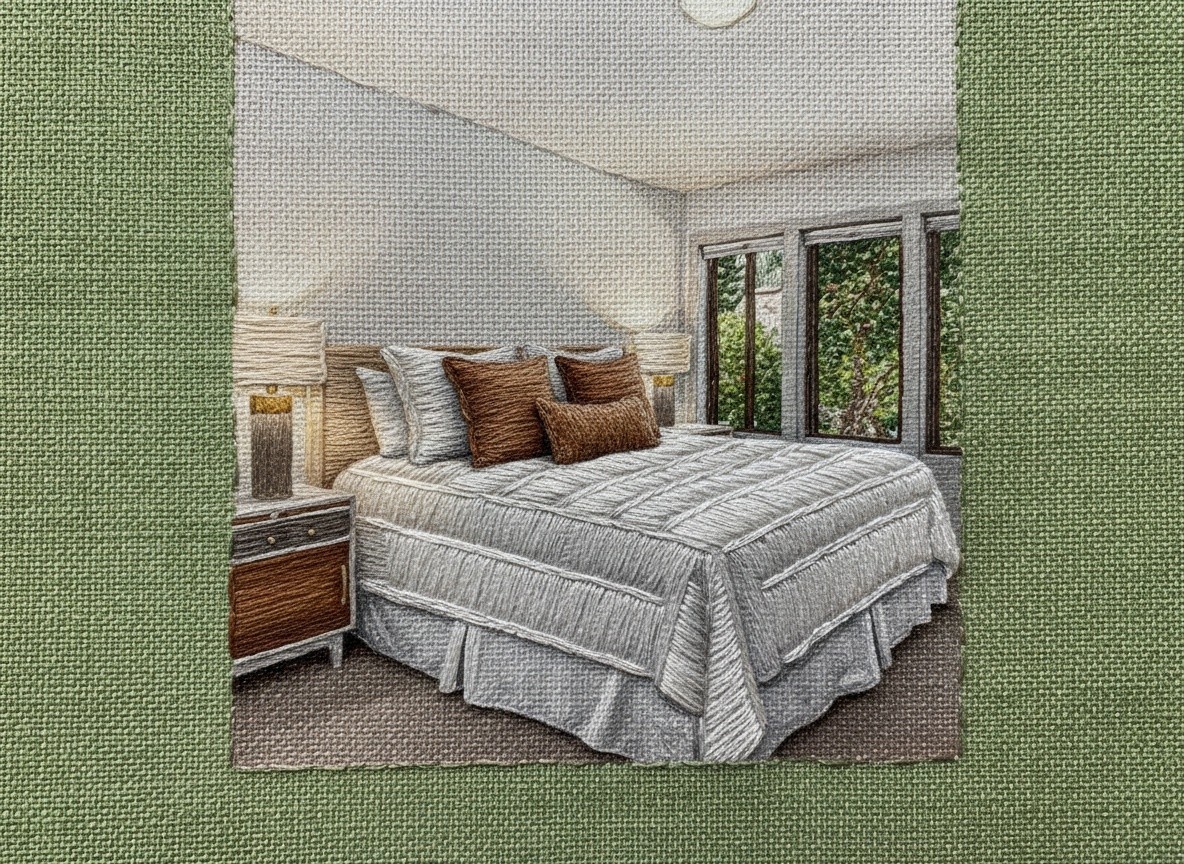
Nano Banana is an AI image tool that lets you restyle or enhance your photos without a full reshoot. You can upload one image as your base (the property you want to adjust) and a second as your reference style (the look you want to achieve), and Nano Banana blends the two with precision — updating furniture, bedding, color palette, or decor while keeping the rest of the image identical.

You can access it directly at 👉 nanobanana.ai

Or with your Higgsfield account 👉 higgsfield.ai/image/nano_banana

All you need are two images and a good prompt and suddenly your listing photo looks professionally staged, magazine-level polished, and ready to stop a scroll.

Step 1: Choose the Right Base Image

Start with your cleanest photo of the space.
Make sure it’s:

  • Taken in natural light (or balanced artificial light)

  • Shot straight-on or at a wide angle (avoid tilted horizons)

  • Empty or minimally staged — AI works best when it can “read” open space

Pro tip: Think of this as your “blank canvas.” You want structure and clarity, not clutter.

Step 2: Gather Your Reference

Have a look in mind?
Upload a reference image that shows the style you want to replicate — maybe a Restoration Hardware bedroom or a modern Aspen living room.

Nano Banana can copy:

  • Bedding textures

  • Furniture arrangements

  • Color palettes

  • Lighting moods

Just make sure your reference image is shot from a similar angle for the most realistic result.

Step 3: Write Your Prompt Like a Director

Your prompt is your script.
Here’s a framework you can copy and paste:

“Keep the original room exactly the same — walls, windows, layout, lighting, and perspective — but restyle the furniture and decor to match the attached reference image. Maintain natural lighting, soft shadows, and realistic depth.”

You can also add keywords like:

high-end, neutral tones, minimalist luxury, warm natural light, clean aesthetic, photo-realistic, seamless texture integration

Step 4: Let Nano Banana Do the Heavy Lifting

Once you upload your base image and reference image, Nano Banana will generate a refined, realistic version — often better than a real-life staging session (and much faster).

If you don’t like the first version, adjust your prompt slightly. Try changing words like “replace” to “match” or “refine.”
AI understands tone — your wording sets the scene.

Step 5: Export & Post with Intention

Download your final image in high resolution.
When you upload it to MLS, Instagram, or email, treat it like a first impression — because it is.

Why It Works

Buyers shop with their eyes first. Nano Banana helps you stage aspirational emotion: warmth, comfort, and luxury, all while saving time, money, and furniture rentals.

So next time a seller says, “We’re not sure how to make it pop,”
You can say, “Don’t worry. I’ve got a tool for that.”

Example

Here’s the prompt you can use for Nano Banana to upscale and restyle the bedding while keeping the rest of the image identical:

Prompt:
Keep the entire original image exactly the same — lighting, composition, furniture, background, and subject placement — and only replace or upscale the bedding to match the reference image provided.

Use the reference image as the exact visual and material inspiration for the bedding’s color palette, texture, pattern, and fabric style. Make sure the folds, shadows, and realism match the original lighting conditions of the first image so it blends seamlessly into the existing scene.

Maintain photo-realism, precise perspective alignment, and consistent image resolution.
Do not alter anything other than the bedding.

Optional keywords to append (for precision):

realistic lighting, seamless fabric integration, texture match, high-resolution upscale, identical framing, consistent shadows, natural depth

Give It a Try — It’s Easier Than You Think

You don’t need to be “techy” for this.
If you can send a photo, you can use Nano Banana.

Just upload the room photo you already have, add one image that shows the look you want, and tell it, in plain language, what to do. That’s it.

No apps to download. No complicated steps. Just quick, smart photo polish that makes your listings look like a professional staging team came through overnight.

Because the truth is, the best agents aren’t the ones who work harder — they’re the ones who know the tools that save time and make them look good doing it.

Let’s chat again soon…
Gibz

Nano Banana is an AI image tool that lets you restyle or enhance your photos without a full reshoot. You can upload one image as your base (the property you want to adjust) and a second as your reference style (the look you want to achieve), and Nano Banana blends the two with precision — updating furniture, bedding, color palette, or decor while keeping the rest of the image identical.

You can access it directly at 👉 nanobanana.ai

Or with your Higgsfield account 👉 higgsfield.ai/image/nano_banana

All you need are two images and a good prompt and suddenly your listing photo looks professionally staged, magazine-level polished, and ready to stop a scroll.

Step 1: Choose the Right Base Image

Start with your cleanest photo of the space.
Make sure it’s:

  • Taken in natural light (or balanced artificial light)

  • Shot straight-on or at a wide angle (avoid tilted horizons)

  • Empty or minimally staged — AI works best when it can “read” open space

Pro tip: Think of this as your “blank canvas.” You want structure and clarity, not clutter.

Step 2: Gather Your Reference

Have a look in mind?
Upload a reference image that shows the style you want to replicate — maybe a Restoration Hardware bedroom or a modern Aspen living room.

Nano Banana can copy:

  • Bedding textures

  • Furniture arrangements

  • Color palettes

  • Lighting moods

Just make sure your reference image is shot from a similar angle for the most realistic result.

Step 3: Write Your Prompt Like a Director

Your prompt is your script.
Here’s a framework you can copy and paste:

“Keep the original room exactly the same — walls, windows, layout, lighting, and perspective — but restyle the furniture and decor to match the attached reference image. Maintain natural lighting, soft shadows, and realistic depth.”

You can also add keywords like:

high-end, neutral tones, minimalist luxury, warm natural light, clean aesthetic, photo-realistic, seamless texture integration

Step 4: Let Nano Banana Do the Heavy Lifting

Once you upload your base image and reference image, Nano Banana will generate a refined, realistic version — often better than a real-life staging session (and much faster).

If you don’t like the first version, adjust your prompt slightly. Try changing words like “replace” to “match” or “refine.”
AI understands tone — your wording sets the scene.

Step 5: Export & Post with Intention

Download your final image in high resolution.
When you upload it to MLS, Instagram, or email, treat it like a first impression — because it is.

Why It Works

Buyers shop with their eyes first. Nano Banana helps you stage aspirational emotion: warmth, comfort, and luxury, all while saving time, money, and furniture rentals.

So next time a seller says, “We’re not sure how to make it pop,”
You can say, “Don’t worry. I’ve got a tool for that.”

Example

Here’s the prompt you can use for Nano Banana to upscale and restyle the bedding while keeping the rest of the image identical:

Prompt:
Keep the entire original image exactly the same — lighting, composition, furniture, background, and subject placement — and only replace or upscale the bedding to match the reference image provided.

Use the reference image as the exact visual and material inspiration for the bedding’s color palette, texture, pattern, and fabric style. Make sure the folds, shadows, and realism match the original lighting conditions of the first image so it blends seamlessly into the existing scene.

Maintain photo-realism, precise perspective alignment, and consistent image resolution.
Do not alter anything other than the bedding.

Optional keywords to append (for precision):

realistic lighting, seamless fabric integration, texture match, high-resolution upscale, identical framing, consistent shadows, natural depth

Give It a Try — It’s Easier Than You Think

You don’t need to be “techy” for this.
If you can send a photo, you can use Nano Banana.

Just upload the room photo you already have, add one image that shows the look you want, and tell it, in plain language, what to do. That’s it.

No apps to download. No complicated steps. Just quick, smart photo polish that makes your listings look like a professional staging team came through overnight.

Because the truth is, the best agents aren’t the ones who work harder — they’re the ones who know the tools that save time and make them look good doing it.

Let’s chat again soon…
Gibz

Nano Banana is an AI image tool that lets you restyle or enhance your photos without a full reshoot. You can upload one image as your base (the property you want to adjust) and a second as your reference style (the look you want to achieve), and Nano Banana blends the two with precision — updating furniture, bedding, color palette, or decor while keeping the rest of the image identical.

You can access it directly at 👉 nanobanana.ai

Or with your Higgsfield account 👉 higgsfield.ai/image/nano_banana

All you need are two images and a good prompt and suddenly your listing photo looks professionally staged, magazine-level polished, and ready to stop a scroll.

Step 1: Choose the Right Base Image

Start with your cleanest photo of the space.
Make sure it’s:

  • Taken in natural light (or balanced artificial light)

  • Shot straight-on or at a wide angle (avoid tilted horizons)

  • Empty or minimally staged — AI works best when it can “read” open space

Pro tip: Think of this as your “blank canvas.” You want structure and clarity, not clutter.

Step 2: Gather Your Reference

Have a look in mind?
Upload a reference image that shows the style you want to replicate — maybe a Restoration Hardware bedroom or a modern Aspen living room.

Nano Banana can copy:

  • Bedding textures

  • Furniture arrangements

  • Color palettes

  • Lighting moods

Just make sure your reference image is shot from a similar angle for the most realistic result.

Step 3: Write Your Prompt Like a Director

Your prompt is your script.
Here’s a framework you can copy and paste:

“Keep the original room exactly the same — walls, windows, layout, lighting, and perspective — but restyle the furniture and decor to match the attached reference image. Maintain natural lighting, soft shadows, and realistic depth.”

You can also add keywords like:

high-end, neutral tones, minimalist luxury, warm natural light, clean aesthetic, photo-realistic, seamless texture integration

Step 4: Let Nano Banana Do the Heavy Lifting

Once you upload your base image and reference image, Nano Banana will generate a refined, realistic version — often better than a real-life staging session (and much faster).

If you don’t like the first version, adjust your prompt slightly. Try changing words like “replace” to “match” or “refine.”
AI understands tone — your wording sets the scene.

Step 5: Export & Post with Intention

Download your final image in high resolution.
When you upload it to MLS, Instagram, or email, treat it like a first impression — because it is.

Why It Works

Buyers shop with their eyes first. Nano Banana helps you stage aspirational emotion: warmth, comfort, and luxury, all while saving time, money, and furniture rentals.

So next time a seller says, “We’re not sure how to make it pop,”
You can say, “Don’t worry. I’ve got a tool for that.”

Example

Here’s the prompt you can use for Nano Banana to upscale and restyle the bedding while keeping the rest of the image identical:

Prompt:
Keep the entire original image exactly the same — lighting, composition, furniture, background, and subject placement — and only replace or upscale the bedding to match the reference image provided.

Use the reference image as the exact visual and material inspiration for the bedding’s color palette, texture, pattern, and fabric style. Make sure the folds, shadows, and realism match the original lighting conditions of the first image so it blends seamlessly into the existing scene.

Maintain photo-realism, precise perspective alignment, and consistent image resolution.
Do not alter anything other than the bedding.

Optional keywords to append (for precision):

realistic lighting, seamless fabric integration, texture match, high-resolution upscale, identical framing, consistent shadows, natural depth

Give It a Try — It’s Easier Than You Think

You don’t need to be “techy” for this.
If you can send a photo, you can use Nano Banana.

Just upload the room photo you already have, add one image that shows the look you want, and tell it, in plain language, what to do. That’s it.

No apps to download. No complicated steps. Just quick, smart photo polish that makes your listings look like a professional staging team came through overnight.

Because the truth is, the best agents aren’t the ones who work harder — they’re the ones who know the tools that save time and make them look good doing it.

Let’s chat again soon…
Gibz

My mission is to

Help you create and earn on your terms.

No spam, unsubscribe anytime.

My mission is to

Help you create and earn on your terms.

No spam, unsubscribe anytime.

My mission is to

Help you create and earn on your terms.

No spam, unsubscribe anytime.